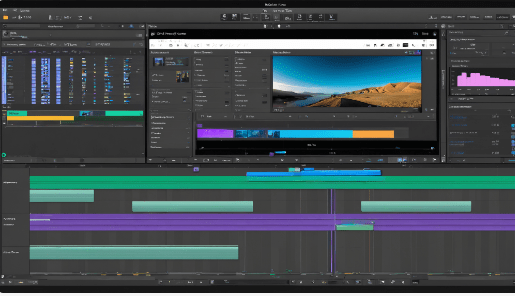
Post-production editing software is essential for filmmakers, content creators, and video editors, enabling them to transform raw footage into polished, professional-quality videos. With a variety of options available, it’s crucial to choose the right software that aligns with your specific needs, budget, and level of expertise. This article reviews some of the best post-production editing software available in 2024, highlighting their features, usability, and suitability for different types of projects.
1. Adobe Premiere Pro
Overview: Adobe Premiere Pro is widely regarded as the industry standard for video editing. It offers a comprehensive suite of tools for both beginners and professionals, making it suitable for a wide range of projects, from YouTube videos to feature films. Key Features:
Multi-Track Editing: Supports multiple video and audio tracks for complex projects.
Advanced Color Grading: Offers robust color correction and grading tools to enhance the visual quality of your footage.
Audio Editing: Integrated audio editing capabilities with a range of meters and effects for cleaning up sound.
Collaboration Tools: Seamless integration with Adobe Creative Cloud allows for easy collaboration with other Adobe applications.
Usability: While Premiere Pro has a steeper learning curve, its extensive features make it a powerful choice for serious editors.Pricing: Subscription-based, starting at $20.99/month.
2. DaVinci Resolve
Overview: DaVinci Resolve is renowned for its advanced color grading capabilities and is a favorite among professional filmmakers. It also offers a free version that includes many powerful features.Key Features:
Color Correction: Industry-leading color grading tools that allow for precise adjustments.
Multi-User Collaboration: Enables multiple users to work on the same project simultaneously.
Fairlight Audio: Integrated audio post-production tools for comprehensive sound editing.
Fusion: Advanced visual effects and motion graphics capabilities.
Usability: The interface can be complex for beginners, but the wealth of tutorials available can help ease the learning process.Pricing: Free version available; Studio version costs $295.
3. Final Cut Pro
Overview: Final Cut Pro is Apple’s professional video editing software, known for its intuitive interface and powerful features. It is particularly popular among Mac users.Key Features:
Magnetic Timeline: Allows for easy editing and rearranging of clips without affecting the rest of the timeline.
Multicam Editing: Simplifies the process of editing footage from multiple cameras.
Optimized for Mac: Takes full advantage of Mac hardware, providing fast performance.
Usability: Final Cut Pro is user-friendly, making it accessible for beginners while still offering advanced features for professionals.Pricing: One-time purchase of $299.99.
4. CyberLink PowerDirector
Overview: CyberLink PowerDirector is a versatile video editing software that caters to both beginners and experienced editors, offering a range of features for mobile and desktop editing.Key
Features:
4K Editing: Supports 4K resolution for high-quality video production.
User-Friendly Interface: Intuitive layout that simplifies the editing process.
Mobile Editing: Offers a powerful mobile app for editing on the go.
Usability: The software is easy to learn, making it ideal for beginners while still providing advanced tools for more experienced users.Pricing: Free version available; premium subscription starts at $5.99/month.
5. Filestage
Overview: Filestage is not a traditional editing software but is included here for its unique focus on managing feedback and approval processes in post-production.Key Features:
Version Control: Automatically organizes versions of your projects, making it easy to track changes and feedback.
Annotation Tools: Reviewers can leave comments directly on the video timeline, streamlining the feedback process.
Collaboration Features: Facilitates easy sharing and collaboration among team members.
Usability: Designed to simplify the review process, making it a valuable tool for teams working on video projects.Pricing: Pricing varies based on team size and features needed.
Conclusion Choosing the right post-production editing software depends on your specific needs, budget, and level of expertise. Adobe Premiere Pro and DaVinci Resolve are excellent choices for professional-grade editing, while Final Cut Pro offers a user-friendly experience for Mac users.
 Janson's blog
Great information about video editing software! I often use InShot Pro, which is also user-friendly and has some really great features. It’s perfect for quick edits and producing high-quality videos. For more details, you can check this page: https://inshotprosapp.com/
LikeLike
Great information about video editing software! I often use InShot Pro as well, and it’s incredibly user-friendly with amazing features. It’s perfect for quick edits while still delivering high-quality results. For more details, you can Also, check out amber-menu.com.ph for more amazing content!
LikeLiked by 1 person